
How to Create an Account on DK SMM Panel (2 Easy Methods)
Creating an account on DK SMM Panel is quick and easy. In this guide, you will learn two simple methods to register: normal signup and Google one-click login.
Method 1 – Create Account Using Signup Form
Step 1 – Open the Signup Page
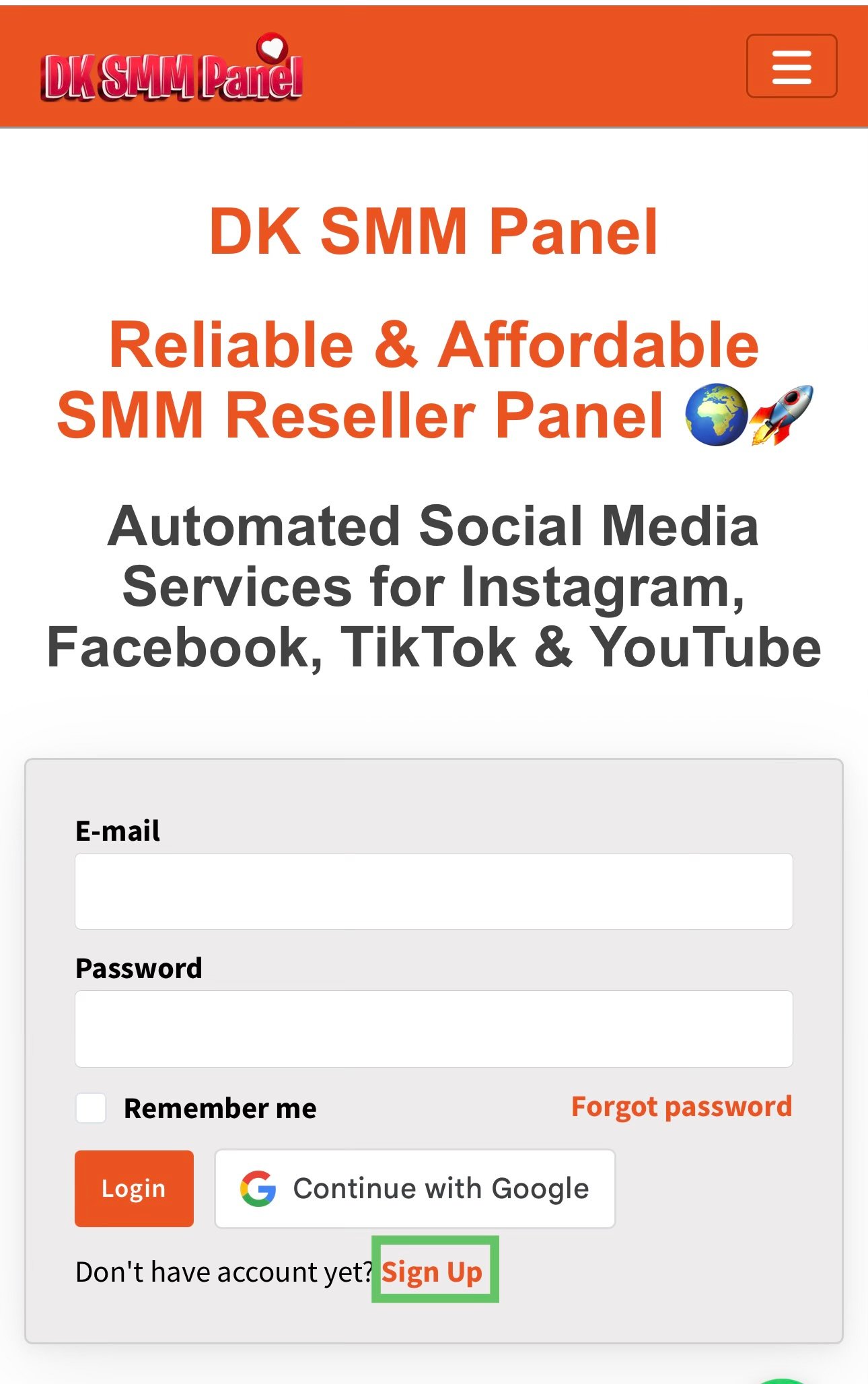
Open the DK SMM Panel website and click on the Sign Up button.
Step 2 – Enter Your Details
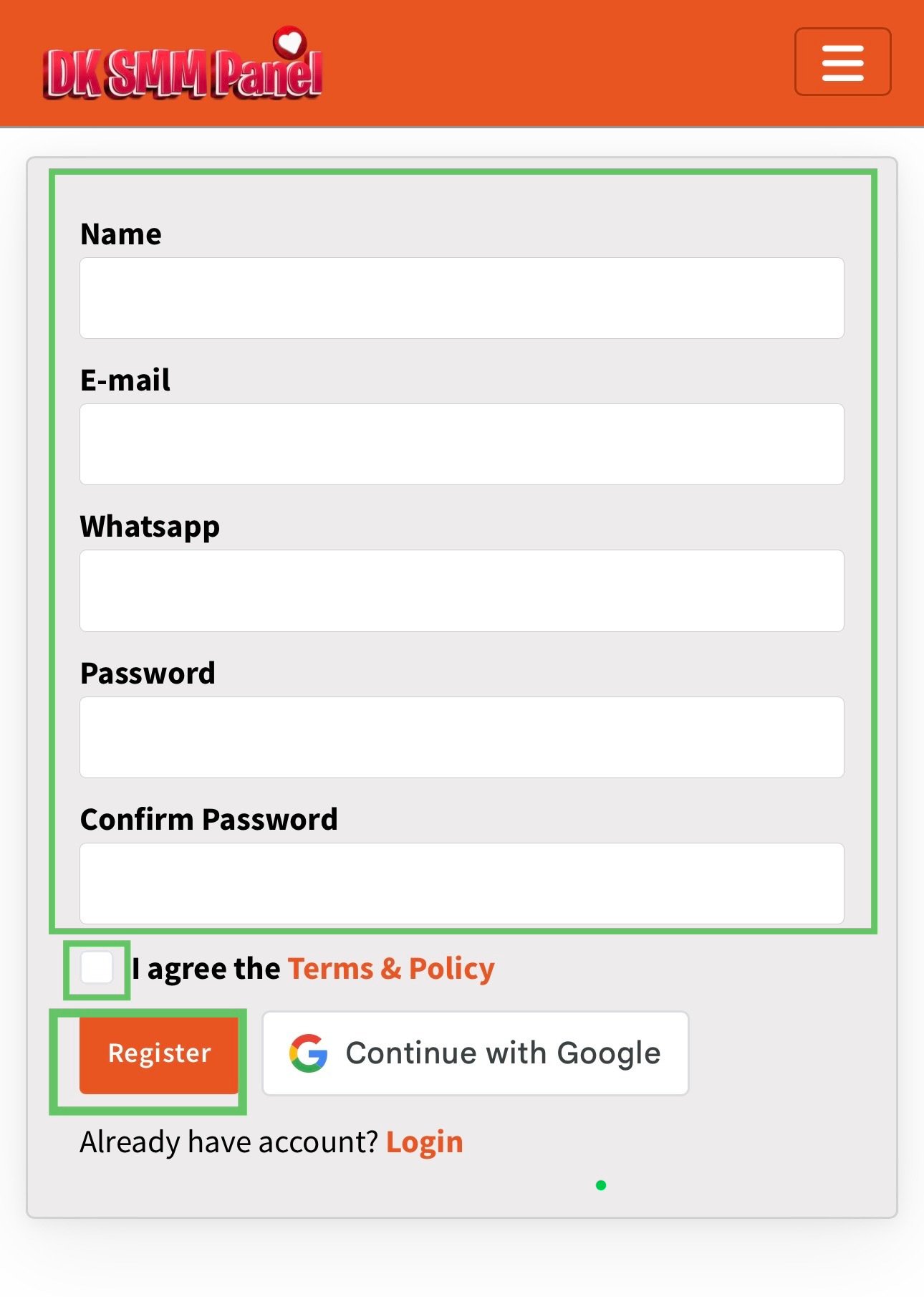
Fill in your Username, Email Address, WhatsApp Number, Password and Confirm Password in the signup form.
Step 3 – Submit the Signup Form
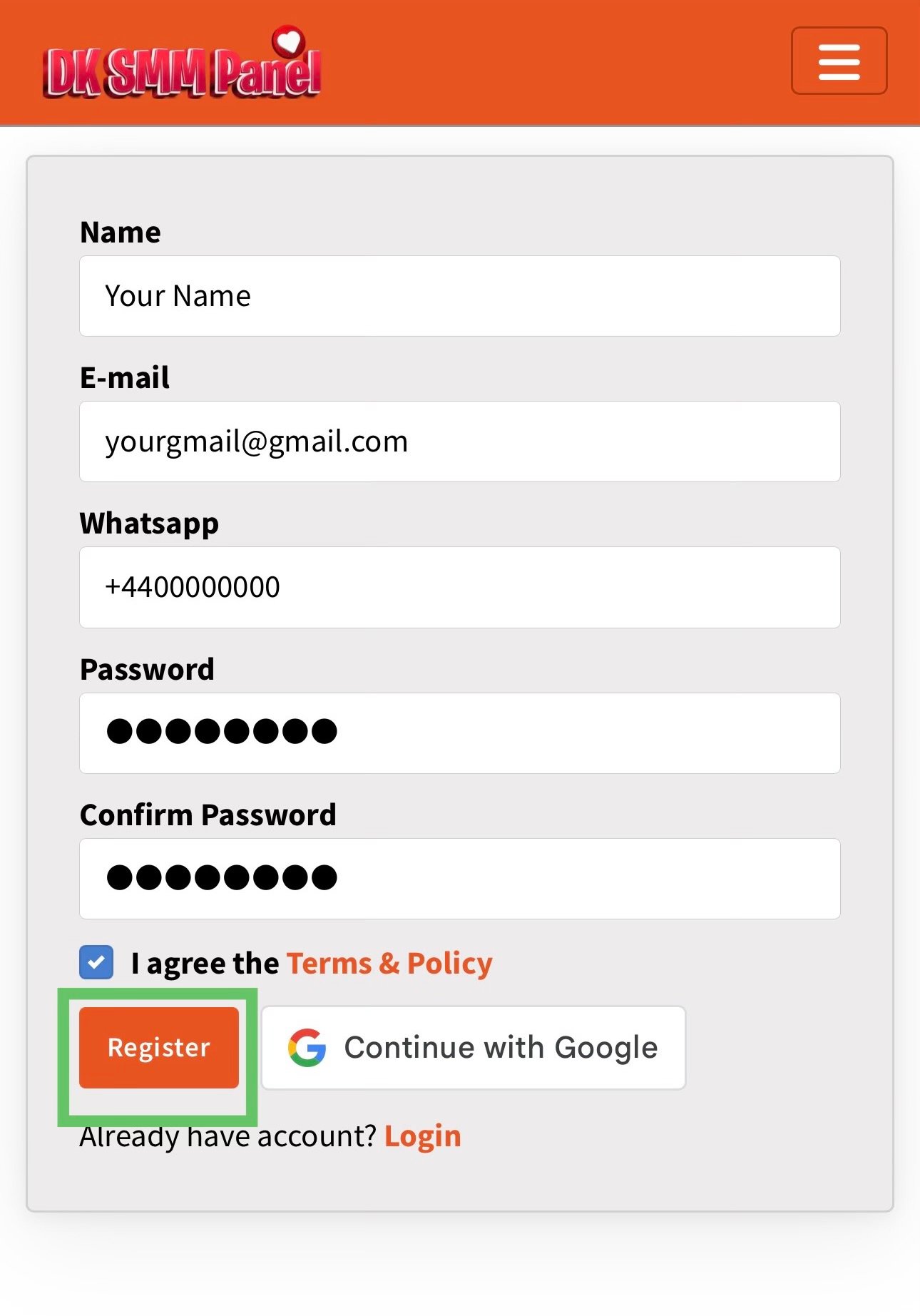
After entering all details, click the Create Account button.
Step 4 – Account Created Successfully
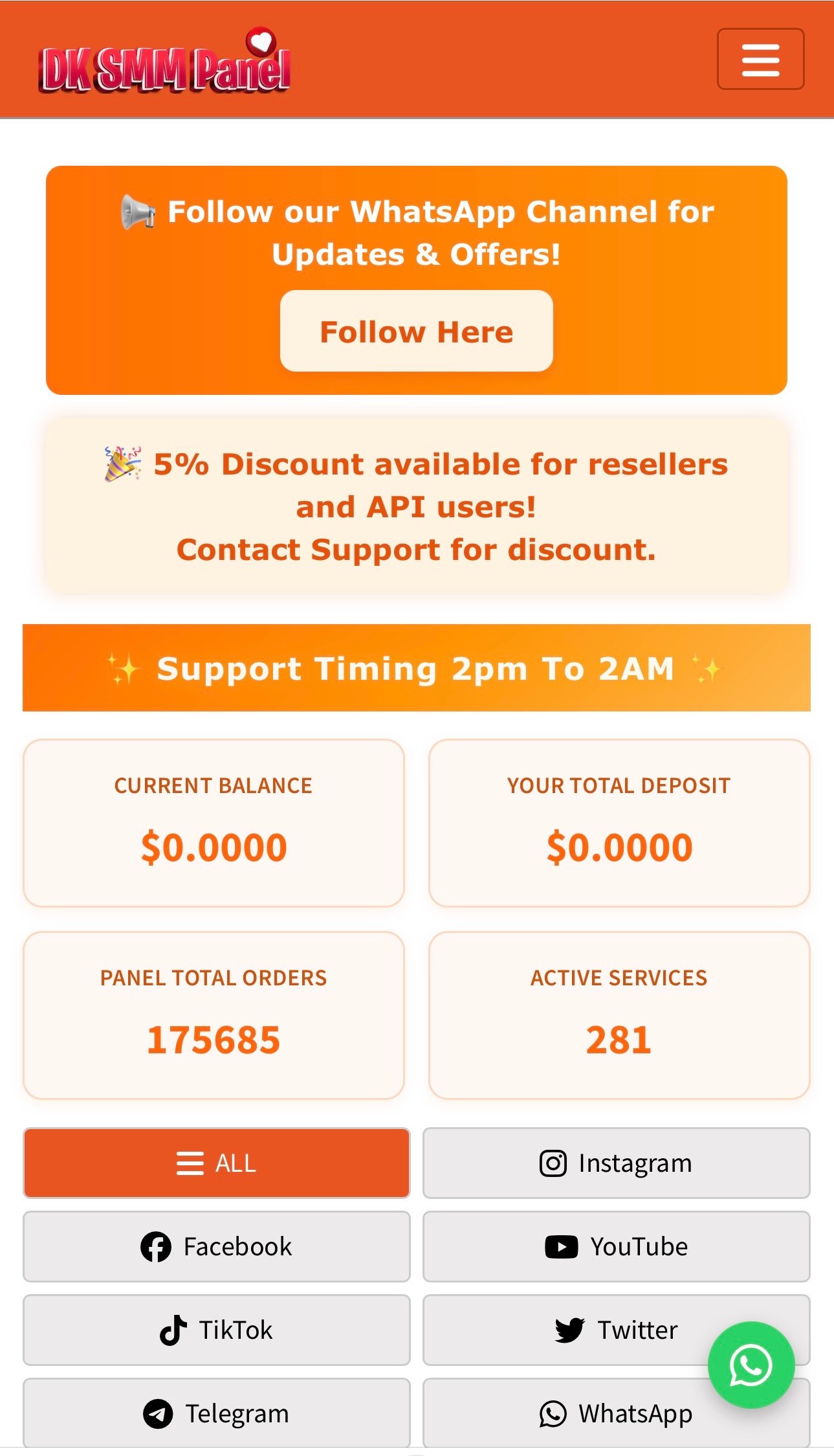
Congratulations! Your account has been created successfully and you are now logged into your dashboard.
Method 2 – Create Account Using Google (One-Click Login)
Step 5 – Click on “Sign in with Google”
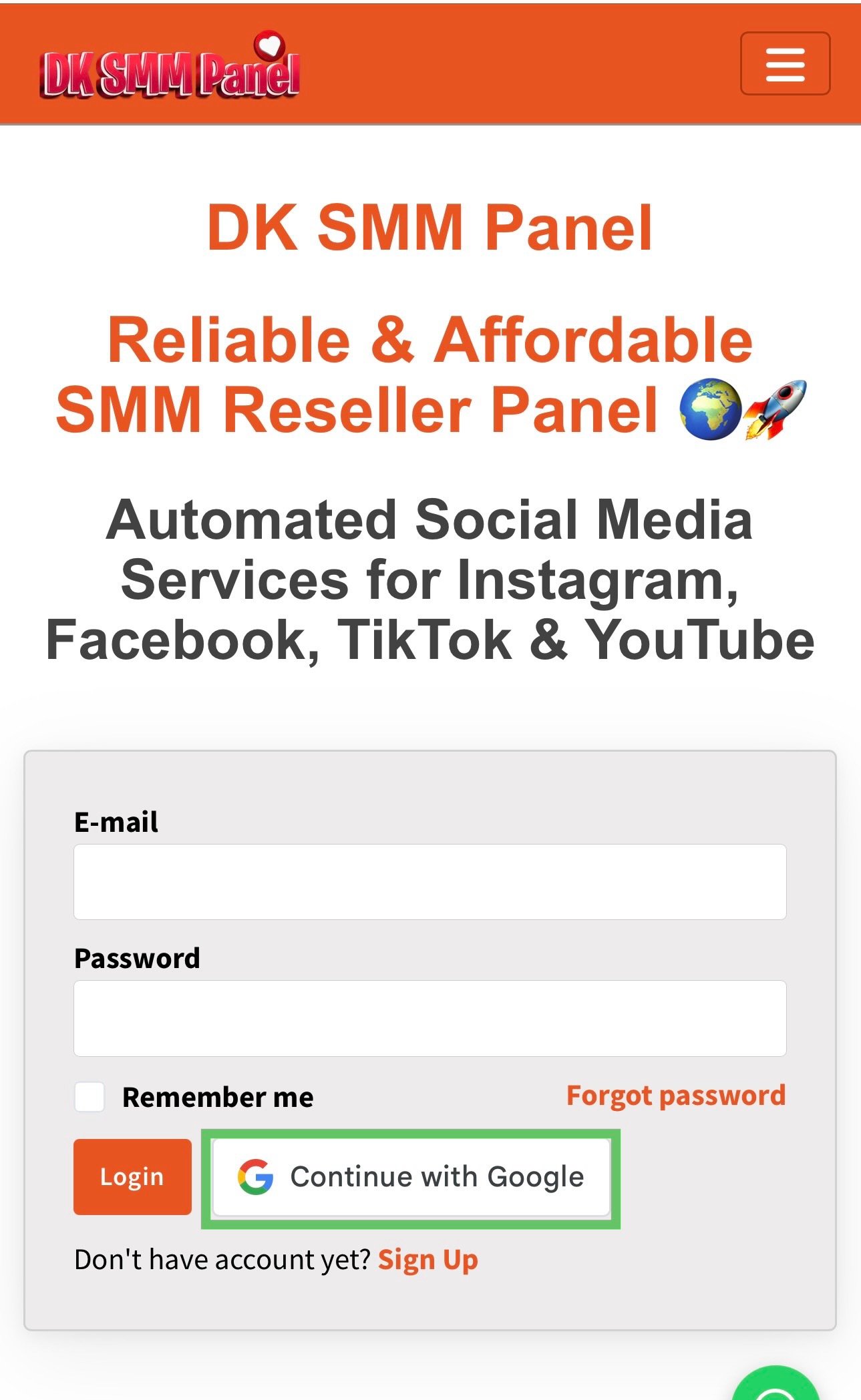
On the signup page, click the Sign in with Google button to continue.
Step 6 – Select Your Google Account
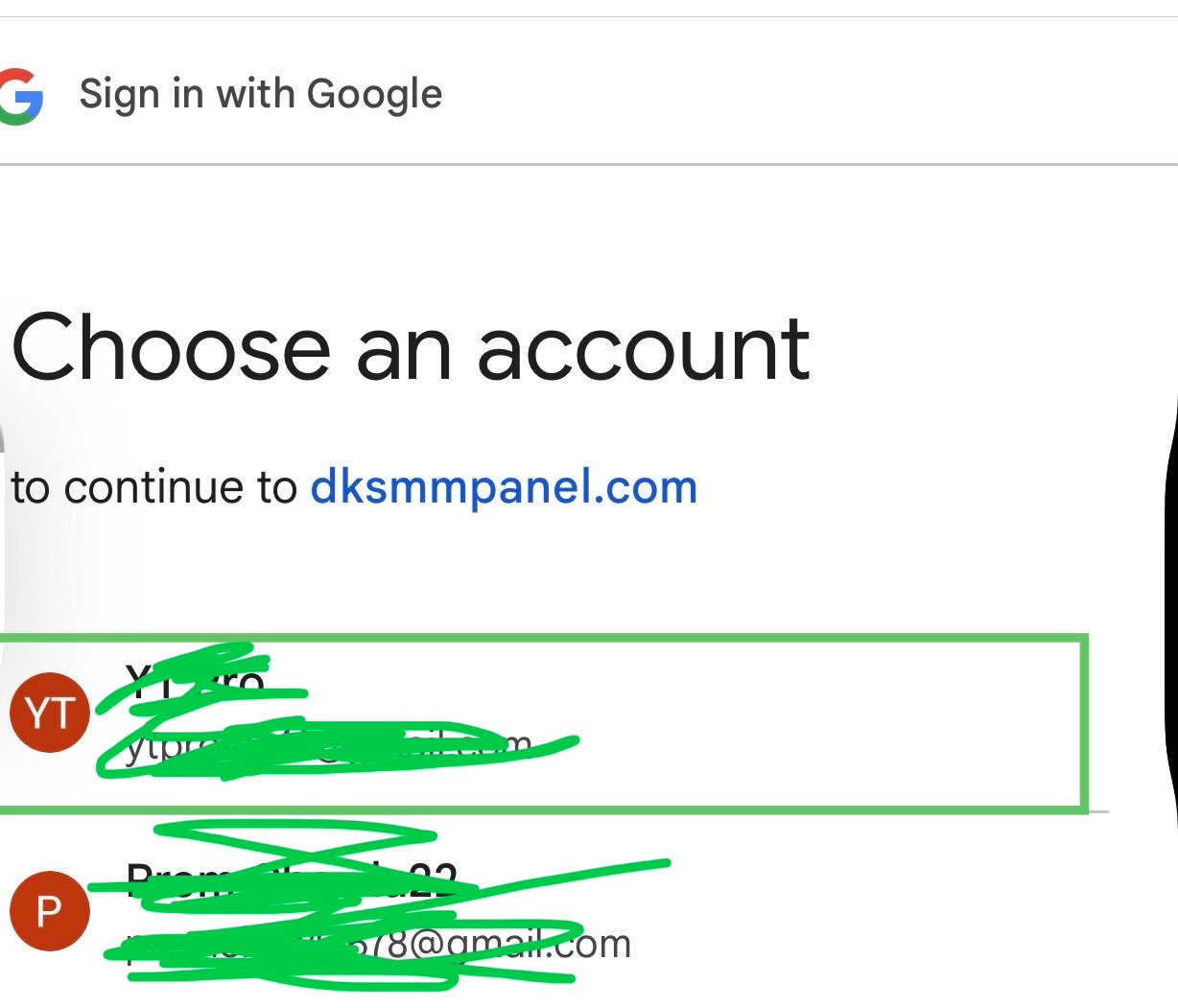
Choose the Google account you want to use for registration.
Step 7 – Allow Access
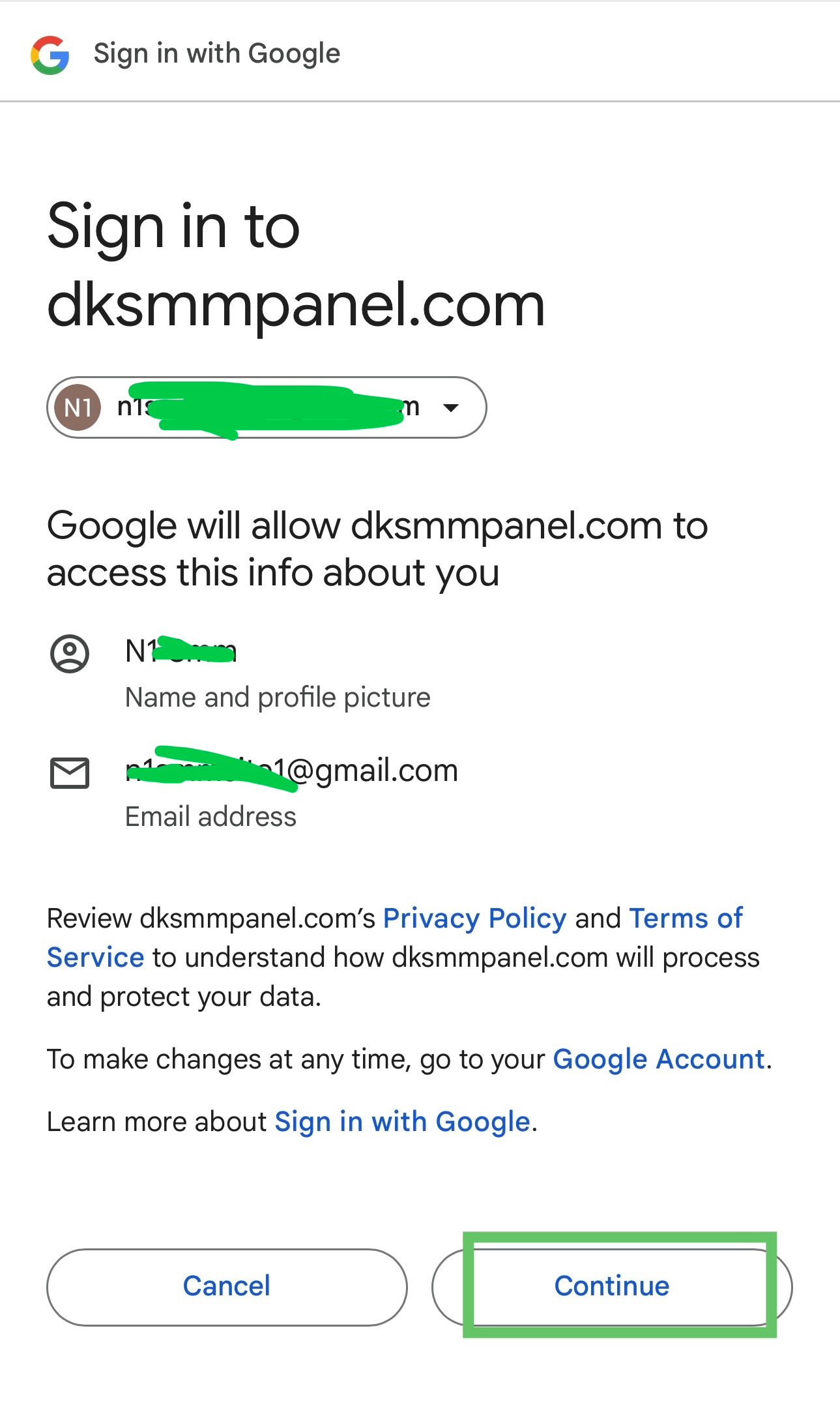
Allow permissions so your account can be created automatically.
Step 8 – Login Successful
Done! You are now logged in and can start using DK SMM Panel services.
Tip: Google one-click signup is the fastest method and recommended for new users.