
How to Change Currency on DK SMM Panel (Step by Step Guide)
If you want to see service prices in your local currency, DK SMM Panel allows you to change currency easily from your dashboard. Follow the simple steps below.
Step 1 – Click on Currency Option
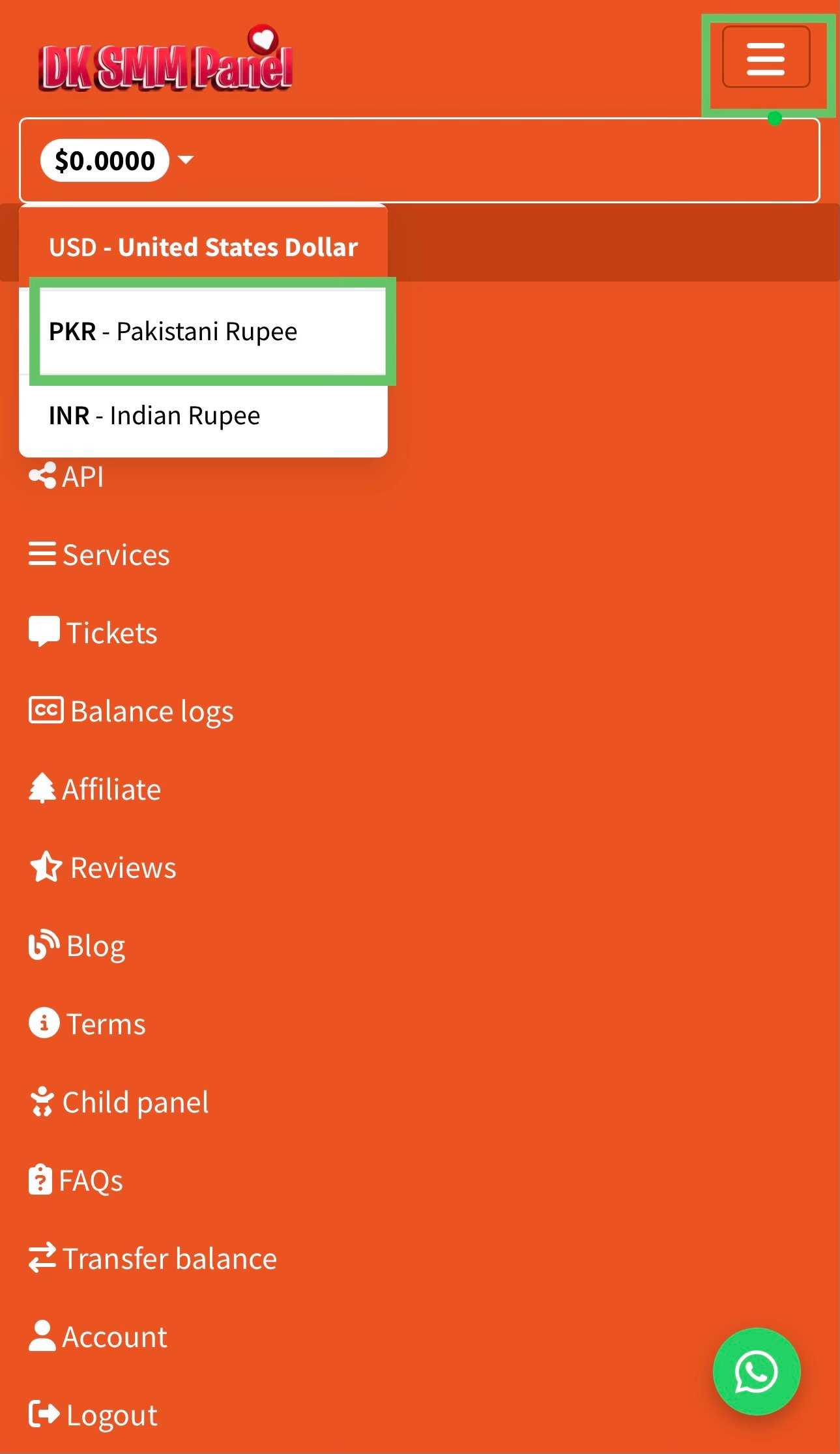
After logging into your account, look at the top menu and click on the currency selector where current currency is shown.
Step 2 – Select Your Preferred Currency
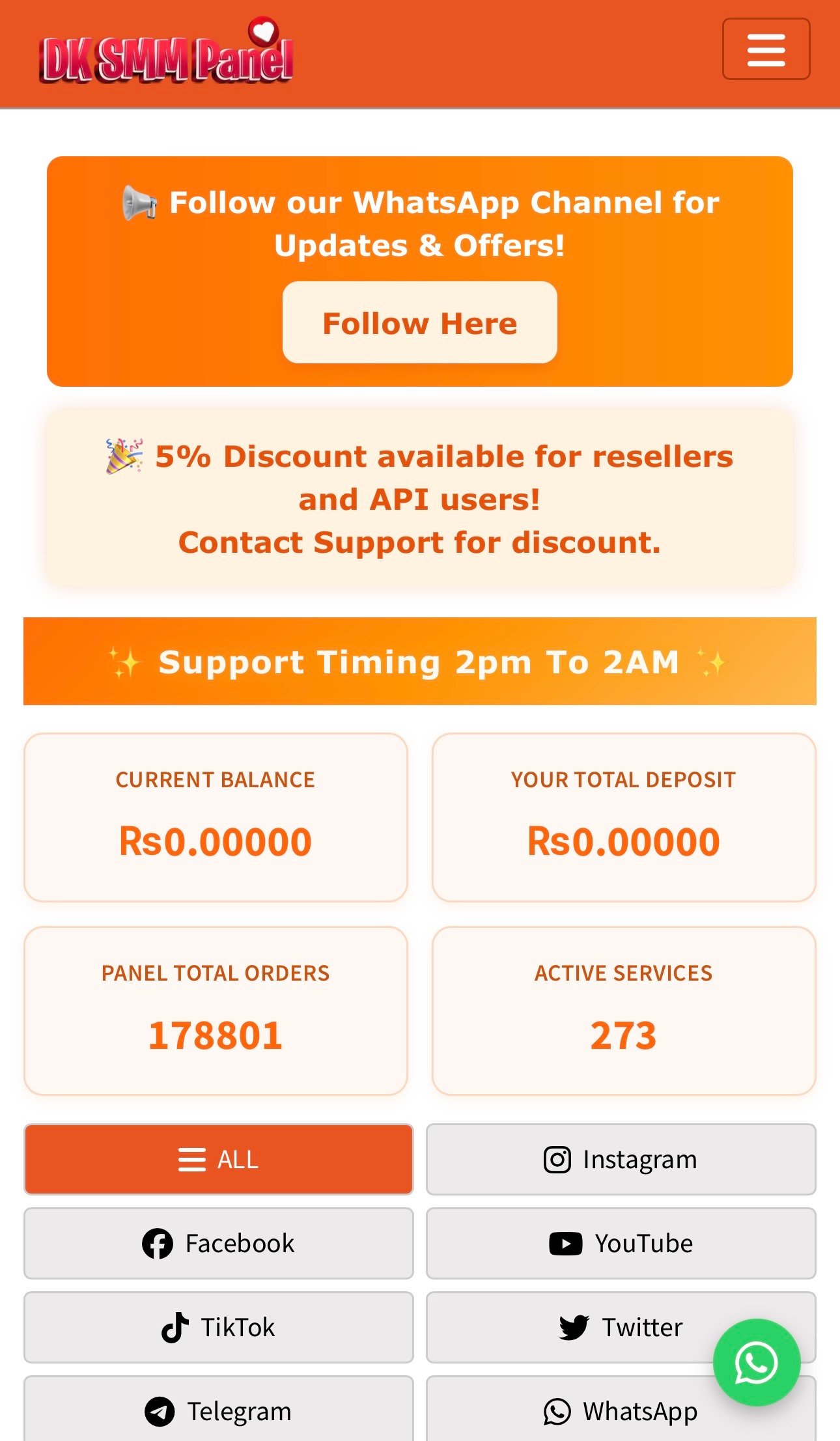
Choose your desired currency from the list. Prices will automatically update according to the selected currency.
Tip:
Changing currency does not affect your balance. It only changes how
prices are displayed on the panel.